





Node's fs API in the browser, with a readFileSync that actually blocks and returns a
value. Not an in-memory mock, and not async calls in a sync costume: the *Sync methods really
block, using SharedArrayBuffer and Atomics.wait to bridge the browser's async OPFS. Files live
in OPFS, so they survive a reload.
import { VFSFileSystem } from '@componentor/fs';

const fs = new VFSFileSystem({ root: '/my-app' });
await fs.init();                         // mount before the first blocking call

fs.writeFileSync('/hello.txt', 'Hello from the browser');
fs.readFileSync('/hello.txt', 'utf8');   // → 'Hello from the browser'
That makes it possible to run Node code in the browser that was never written for an async
filesystem: TypeScript compiler hosts reading through ts.sys, CommonJS require() resolution,
Emscripten/WASI syscall shims, and the pile of CLI tools written in *Sync throughout — without
rewriting any of it.
Every method of node:fs and node:fs/promises is here, across the sync, promises, callback,
stream and file-descriptor APIs. If your code is already async, that half works everywhere with
none of the setup the sync API needs — isomorphic-git runs on it,
and is part of the benchmark suite.
Install as @componentor/fs or
sync-opfs — same package, two names.
Try it in your browser → · no install, real OPFS.
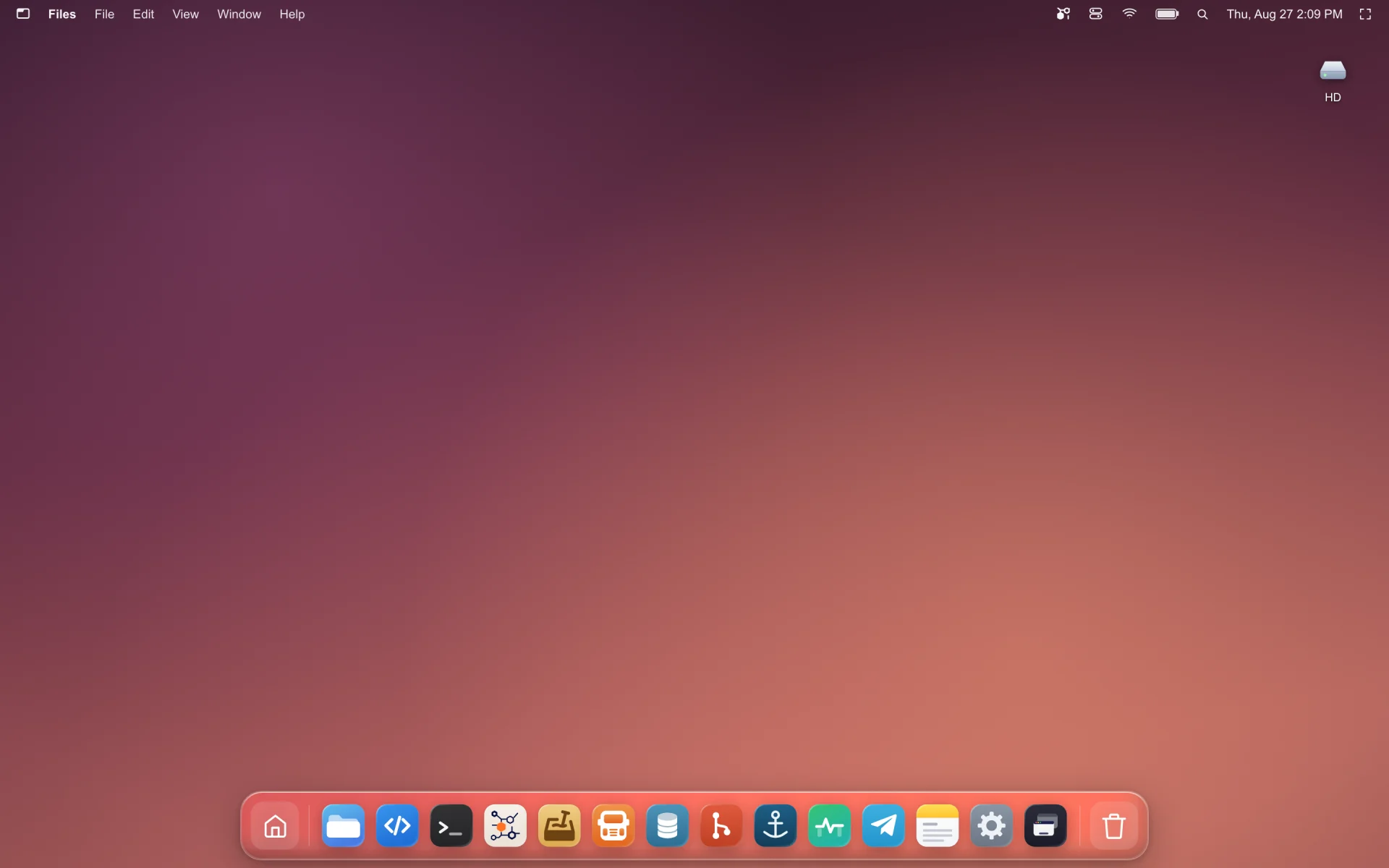
Tab Desktop is a complete desktop OS that runs in a browser tab —
file manager, terminal, code editor, git, databases — and this library is the filesystem
underneath it. Every readFileSync those apps make is a real blocking read against OPFS.
It is the hardest test this library has, and the reason to trust the rest of this page:
- A WebContainer-class runtime, at speed. A whole OS's worth of processes hammering one filesystem — package installs, git checkouts, compilers, a live file manager — with the sync calls that shape of software is written in, not an async rewrite of it.
- Across tabs. Open it in several tabs and they share one filesystem, with one tab elected leader and the rest routed to it. Not a copy per tab, and not last-write-wins.
- On Chrome, Safari and Firefox. The one people expect to be a Chrome-only trick. Cross-tab synchronous I/O on WebKit and Gecko is where in-browser filesystems usually stop — see Browser Support for what each engine needs and the single case (a Safari follower tab calling from the main thread rather than a worker) that stays impossible.
The async half works everywhere. The sync half needs your page to be cross-origin isolated — one server setting, and the only part of this library that can't be fixed from inside the package:
Cross-Origin-Opener-Policy: same-origin
Cross-Origin-Embedder-Policy: require-corp
Can't set headers (GitHub Pages, some CDNs, an embedded iframe)? The async API is fully supported
and you lose nothing but the blocking calls — COOP/COEP Headers has per-host
config and a service-worker workaround for static hosts. Check crossOriginIsolated in the
console if you're unsure which tier you're on.
- True sync API — blocking
readFileSync/writeFileSync/… via SharedArrayBuffer + Atomics, not callbacks pretending to be sync. - Async API too —
fs.promises.*works everywhere, even without COOP/COEP headers. - 100% of the
node:fssurface — all 134 functions acrossnode:fsandnode:fs/promiseson Node 24, with nothing excluded, along withFileHandle,Dir,Stats/BigIntStats/Direntas real classes, andfs.constants. Streams, file descriptors,watch,glob,cp,mkdtemp,realpath,statfs, bigint stats — all of it. The handful of behavioural divergences is listed under Node compatibility; two tests keep the claim honest: one enumerates Node's exports at runtime and fails if any are missing, the other asserts every one of them is actually compared against a livenode:fs— so a method cannot be implemented, typed, documented and never tested. - Real persistence — a compact binary VFS (
.vfs.bin) in OPFS, plus an optional bidirectional mirror to real OPFS files DevTools and other tools can see. - Multi-tab safe — leader/follower architecture with automatic failover via
navigator.locks; works on Safari (incl. worker-hosted followers). - External-change aware — a
FileSystemObserversyncs edits made outside the library back into the VFS (Chrome 129+), on by default inhybridmode. Available to instances running on a page; a worker-hosted instance does not watch, because a worker cannot detach an observer before the page kills it and Chromium aborts on one that outlives its scope — see Known divergences. Mirroring outward is unaffected either way. - isomorphic-git ready — battle-tested against real git operations.
- Multi-drive (experimental) — a uniform async
Driveabstraction +DriveManagerfor cross-drive copy/move with progress. See Multi-Drive API. - No worker files, no bundler config — the worker bundles are embedded in the entry as source text and started as same-origin blobs, so there is no URL for a bundler to rewrite and nothing to host. Works from a
<script type="module">, from a CDN, and under Vite dev and build with an empty config. - TypeScript-first — complete type definitions included.
The browser has several filesystem libraries and they solve different problems. The axis that usually decides it is whether you need synchronous calls and whether data must survive a reload.
| Storage | Survives reload | Sync API | node:fs coverage vs Node 24.18 |
|
|---|---|---|---|---|
| sync-opfs / @componentor/fs (this) | OPFS + binary VFS | Yes | Yes, on the main thread — SharedArrayBuffer + Atomics.wait |
100% — 134/134 |
| @zenfs/core 2.6 | Pluggable backends | Depends on backend | Yes, where the backend allows it | 97.0% — 130/134 |
| memfs 4.68 | Memory | No | Yes | 95.5% — 128/134 |
| @isomorphic-git/lightning-fs | IndexedDB | Yes | No | Partial by design — the subset isomorphic-git needs |
| opfs-worker | OPFS | Yes | No — async only | n/a — its own async API, not fs-shaped |
Raw OPFS (navigator.storage) |
OPFS | Yes | Only inside a Worker, via createSyncAccessHandle |
n/a — not an fs API |
Measured against Node 24.18.0 on 2026-08-10. The denominator is whatever that Node
exports — 100 functions on node:fs plus 32 on node:fs/promises = 132 — enumerated at runtime
rather than read off a list, so it moves when Node moves: a release that adds an fs function
lowers every figure here until the libraries catch up. Utf8Stream (a Node 24 internal logging
stream, implemented by none of them) and the private _toUnixTimestamp are excluded. Reproduce
against your own Node with api-surface.test.ts.
npm install @componentor/fs # or: npm install sync-opfs — same package, two namesimport { VFSFileSystem } from '@componentor/fs';No bundler configuration needed. The worker bundles are embedded, so there is nothing to
resolve, copy or host. TypeScript types are included. There is also a CDN build that works in a
plain .html file with no build step — see Installation.
import { VFSFileSystem } from '@componentor/fs';

// `root` is where the volume lives inside OPFS. Paths you pass to fs methods are absolute
// *within* that volume — so this file is '/src/index.js' here, not '/my-app/src/index.js'.
const fs = new VFSFileSystem({ root: '/my-app' });
await fs.init();                      // resolves once the volume is mounted

fs.mkdirSync('/src', { recursive: true });
fs.writeFileSync('/src/index.js', 'console.log("Hello!");');

const code = fs.readFileSync('/src/index.js', 'utf8');   // blocks, returns the string
const files = fs.readdirSync('/src');                    // ['index.js']
The same thing with the async API, which needs no special headers:
await fs.promises.mkdir('/src', { recursive: true });
await fs.promises.writeFile('/src/index.js', 'console.log("Hello!");');

const code = await fs.promises.readFile('/src/index.js', 'utf8');
const stats = await fs.promises.stat('/src/index.js');
await fs.init() before the first *Sync call. Mounting the volume runs on the event loop, and a
synchronous call blocks it — so a *Sync call in the same tick as the constructor waits for a mount
that its own waiting prevents, and throws saying so rather than hanging. Any await in between is
enough to avoid it; init() is the explicit one, and it surfaces mount errors up front. Always
await it before the first promises.* call too. Once mounted, *Sync calls block and return
normally — this is a startup-ordering rule, not a running cost. There is more on it under
whenReady().
Everything survives a reload: the bytes are in OPFS, not memory. Clear them with
fs.promises.rm('/', { recursive: true, force: true }) or by clearing site data.
examples/ has four starting points you can run against this repo with no install:
npm run build
npm run example            # 01-quickstart at http://localhost:5173
npm run example 02-files-and-streams| Example | What it shows |
|---|---|
| 01-quickstart | Mounting a volume; the sync and promises APIs side by side |
| 02-files-and-streams | Descriptors, FileHandle, read/write streams, readLines, cp -r, glob |
| 03-worker-hosted | The instance inside a worker, so the sync API works in every tab — Safari included |
| 04-vite | The same as a real project: npm install, bare imports, bundler config |
The server they run on sets the COOP/COEP headers the sync API needs; see examples/README.md for what that means for your own host. Each example is loaded in a real browser by examples.spec.ts, so a broken one fails the suite rather than the reader.
| Browser | Sync API | Async API |
|---|---|---|
| Chrome / Edge 102+ | Yes | Yes |
| Firefox 114+ | Yes | Yes |
| Safari 16.4+ | Yes* | Yes |
| Opera 88+ | Yes | Yes |
The sync API needs SharedArrayBuffer, which requires a crossOriginIsolated page (COOP/COEP headers — see above). The async API (fs.promises.*) works everywhere without those headers. (Firefox needs 114+ for the module workers this library uses — enabled by default since then; older 111–113 required the dom.workers.modules.enabled flag.)
* Safari supports the sync API for single-tab and leader tabs. In multi-tab mode, a follower tab can only do sync I/O when its instance runs inside a worker — a main-thread follower on Safari is a fundamental WebKit limitation. See Multi-Tab Sync on Safari and SAFARI-SYNC-LIMITATIONS.md.
Works out of the box — no per-browser tuning. The library auto-detects the engine and only enables WebKit-specific workarounds on WebKit; everywhere else it takes the fast path. You don't set any flags for this. See Performance below for what those workarounds are and the one override (forceSpin) if you ever need it.
The readme is the tour. Everything else lives in docs/, so each page stays the length of its subject rather than of this page.
| Installation | npm with any bundler, or from a CDN with no build step |
| Configuration | every option, encodings, permissions, file descriptors |
| API reference | every method: sync, async, streams, FileHandle, watch, paths |
| Node compatibility | what 134/134 means, and every deliberate divergence |
| Filesystem modes | hybrid, vfs, opfs — what each trades away |
| COOP/COEP headers | the two headers sync needs, per host, and the workaround |
| Multiple tabs, and Safari | one filesystem across tabs, and what Safari needs |
| Performance | measured against real OPFS, and against the alternatives |
| Architecture | how a blocking readFileSync is actually served |
| isomorphic-git | running git on this filesystem |
| Multi-Drive API | mounting more than one backing store (experimental) |
| Maintenance | defragmentation, repair, volume-level operations |
| Testing | differential suites, four fuzzers, real-browser runs |
| FAQ & troubleshooting | common questions, and what each error actually means |
See CHANGELOG.md for the full version history.
git clone https://github.com/componentor/fs
cd fs
npm install
npm run build           # Build the library
npm test                # Run the Node suite (1500+ tests)
npm run verify          # typecheck + tests + build — the pre-publish gate
npm run example         # Serve examples/01-quickstart with the right headers
npm run benchmark:open  # Run benchmarks in a real browser
Cross-browser correctness and OPFS-mirror end-to-end specs run under Playwright in tests/benchmark/*.spec.ts (Chromium, Firefox, WebKit).
Releasing — including why every version gets published, and the changelog style — is in
RELEASING.md. The live demo in demo/ deploys to GitHub Pages on push
to main.
MIT
Made with ❤️ from Norway 🇳🇴